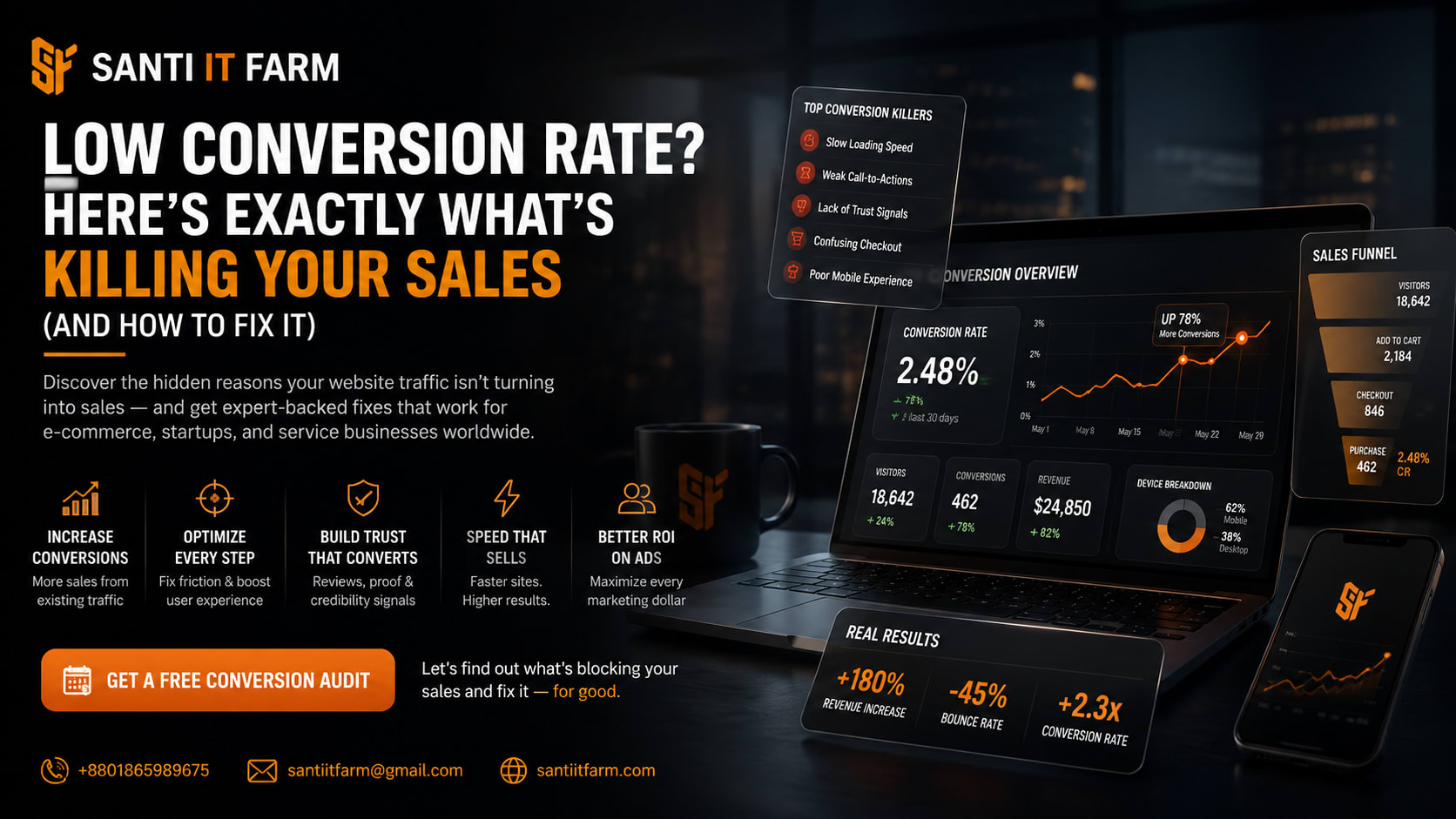
You're getting traffic. So why isn't anyone staying?
You ran the ad campaign. You optimized for search. You shared across social media. And the visitors came — but they left almost as fast as they arrived. No inquiry. No purchase. No contact form filled. Just a spike in traffic and a painfully quiet inbox.
This is one of the most frustrating problems in digital business — and it happens to thousands of websites across Bangladesh, India, Pakistan, the USA, the UK, and beyond, every single day. The traffic is real. The opportunity is real. But somewhere between the user clicking your link and landing on your page, something breaks.
The good news? This is almost always fixable. The reasons people leave a website immediately are well-documented, well-understood, and highly solvable — if you know where to look. This guide will walk you through every major cause of immediate visitor drop-off and give you a clear, practical path to turning your website into a lead machine that actually works.
Why do people leave a website immediately? (Quick Answer)
- The page loads too slowly — visitors leave within 3 seconds if it doesn't load
- The website doesn't work properly on mobile devices
- The message on the page doesn't match what they searched for or clicked on
- The design looks outdated, unprofessional, or untrustworthy
- There is no clear call-to-action or next step visible above the fold
- The content feels irrelevant, vague, or too generic for their needs
- Pop-ups, ads, or interruptions appear immediately and annoy the visitor
- The site feels unsafe — no SSL, no trust signals, no visible contact details
- Navigation is confusing — visitors can't find what they came for
- The offer or value proposition is unclear within the first 5 seconds
Most websites suffer from multiple of these at once. A single fix rarely solves the problem — but addressing even two or three can dramatically reduce bounce rate and increase conversions.
What does it actually mean when someone 'leaves immediately'?
In web analytics, this behavior is tracked as a 'bounce' — when a visitor lands on a page and leaves without taking any further action, clicking any other link, or visiting any other page on your site. Google Analytics measures this as a bounce rate, expressed as a percentage of all sessions. A rate above 70% for most business websites is a serious warning sign.
But raw bounce rate can be misleading. Someone reading a long blog post and leaving after 6 minutes technically 'bounces' — but that's very different from someone leaving your homepage after 4 seconds. What matters most for lead generation and sales is whether visitors are leaving before they've had a real chance to understand your offer and take action.
For businesses in competitive markets — whether you're a Dhaka-based agency, a Lahore e-commerce store, a London consultancy, or a Toronto startup — this distinction is everything. Traffic without engagement is just a cost. The goal is turning that traffic into conversations, leads, and revenue.
Why fixing visitor drop-off is one of your highest-ROI priorities
- Every visitor who leaves without converting represents money you've already spent — on ads, SEO, content, or social media — with zero return.
- Google and other search engines track engagement signals. High bounce rates can quietly damage your search rankings over time, making your traffic problem compound itself.
- A website that converts even 1-2% more of existing traffic generates more leads without any additional marketing spend — making conversion rate optimization one of the most cost-efficient investments available.
- Your website is often the first impression of your entire brand. Visitors who leave immediately are also unlikely to return — first-mover trust is extremely difficult to rebuild.
- For e-commerce businesses specifically, cart abandonment and immediate exit behavior are directly tied to lost revenue that can be calculated precisely — making the financial case for improvement undeniable.
Fixing your bounce rate isn't a cosmetic improvement. It's a direct lever on your revenue, your search visibility, and your brand's ability to compete in a market where attention is expensive and trust is earned fast or not at all.
What happens when you solve the immediate exit problem
More leads from the same traffic
When visitors stay longer and find what they need, your contact forms, WhatsApp buttons, and booking CTAs start getting used. You generate more inquiries without spending a single extra dollar on ads.
Better search engine rankings
Google rewards pages that engage users. When people stop bouncing and start clicking through your site, it sends positive engagement signals that can lift your rankings over time — creating a compounding growth loop.
Higher trust and brand authority
A fast, professional, clearly structured website communicates credibility instantly. This matters enormously for international clients evaluating agencies and service providers — especially in competitive markets like digital marketing and IT services.
Lower cost per acquisition
When your existing traffic converts better, your marketing spend works harder. You're not paying to attract more visitors — you're getting more value from every visitor you already have.
Stronger e-commerce revenue
For online stores, reducing immediate exit rates directly translates to more add-to-cart events, more checkouts, and more completed orders. Small percentage improvements at scale create meaningful revenue gains.
Competitive advantage in your market
Most small and medium businesses have websites that leak traffic constantly. Fixing yours is a genuine competitive edge — especially in markets like Bangladesh, India, and Pakistan where many businesses are still learning digital fundamentals.
Real-world example: An e-commerce store before and after
Before
- — A fashion e-commerce business in Dhaka was running Facebook ads and driving 5,000 monthly visitors to their site.
- — Their bounce rate was 78%. Average session duration was 28 seconds.
- — Monthly sales from website traffic: 11 orders.
- — Their page took 7.3 seconds to load on mobile. The homepage had no clear headline or offer. Product images were blurry. There was no trust badge, no return policy visible, and no WhatsApp contact button.
- — They were spending BDT 40,000 per month on ads for 11 sales.
After
- After a full website rebuild focused on speed, mobile UX, trust signals, and a clear value proposition — the same ad spend produced very different results.
- Page load time dropped to 2.1 seconds. Bounce rate fell to 44%. Average session duration rose to 2 minutes 18 seconds.
- Monthly sales from the same traffic: 67 orders.
- Revenue increased by over 500% with zero increase in ad spend. The only variable that changed was the website.
This kind of transformation isn't rare — it's the expected outcome when a website is built with conversion strategy, not just visual design, as the priority. The traffic was never the problem. The website was.
How to fix your website's immediate exit problem: A step-by-step framework
Step 1: Diagnose the problem with real data
- › Connect Google Analytics 4 and Google Search Console if you haven't already. Look at bounce rate by page, session duration, and exit pages.
- › Use Microsoft Clarity or Hotjar to watch actual session recordings. You'll see exactly where visitors scroll, where they stop, and where they leave.
- › Identify your top 5 highest-traffic pages with the worst bounce rates. These are your highest-leverage fix points.
- › Check your Core Web Vitals in Google Search Console — Largest Contentful Paint, Cumulative Layout Shift, and Interaction to Next Paint are the technical performance metrics Google uses to evaluate user experience.
Step 2: Fix your page speed — this is non-negotiable
- › Run your site through Google PageSpeed Insights and GTmetrix. Target a load time under 3 seconds on mobile — ideally under 2.
- › Compress all images using WebP format. A single uncompressed image can add 2-3 seconds to your load time.
- › Use a reliable hosting provider. Shared hosting from low-cost providers is one of the most common causes of slow load times for small business websites in Bangladesh, India, and Pakistan.
- › Implement browser caching, enable GZIP compression, and use a CDN (Content Delivery Network) to serve your assets faster to global visitors.
- › Minimize JavaScript and CSS files. Every unnecessary script your page loads adds to the time before visitors see anything useful.
Step 3: Make your mobile experience excellent, not just functional
- › Test your website on actual mobile devices — not just Chrome's device emulator. Buttons that seem fine in testing are often impossible to tap on a real phone.
- › Ensure your font sizes are readable without zooming. Use at minimum 16px for body text on mobile.
- › Check that your navigation is usable with one thumb. Most mobile users browse one-handed.
- › Remove any elements that don't serve mobile users — giant desktop banners, horizontal-scroll tables, and hover-only interactions all break the mobile experience.
- › Your CTA buttons must be large, visible, and easy to tap. A phone number that triggers a call, a WhatsApp link, or a prominent 'Get a Quote' button should be immediately visible without scrolling.
Step 4: Fix your message-match problem
- › Every ad, social post, or search result that brings visitors to your site creates an expectation. If your landing page doesn't immediately confirm that expectation, they leave.
- › Your headline must directly reflect the promise that brought the visitor there. If your ad says 'Affordable Web Design in Karachi', your landing page headline must echo that — not something generic like 'We Build Digital Solutions'.
- › The value proposition above the fold should answer three questions in under 5 seconds: What is this? Who is it for? Why should I care?
- › Review each of your traffic sources and trace the journey to the landing page. Fix any gaps between what was promised and what is delivered.
Step 5: Build trust signals throughout the page
- › Add an SSL certificate — the padlock in the browser bar. Any site without HTTPS is immediately flagged as potentially unsafe by most browsers, and visitors will leave.
- › Show real social proof: client testimonials with full names and companies, Google review ratings, project portfolio screenshots, or case studies with real numbers.
- › Make contact information visible — a phone number, WhatsApp button, physical address if relevant, and a professional email address. Websites that hide contact details feel like scams.
- › Include recognizable client logos, certifications, awards, or partnership badges if you have them. These build immediate credibility without the visitor having to read anything.
- › Ensure your privacy policy and terms pages exist and are linked from the footer. This is a baseline trust requirement for international clients especially.
Step 6: Create a clear and compelling path to conversion
- › Every page on your site should have a clear, single primary call to action. Not five buttons going in different directions — one primary action you want the visitor to take.
- › Place your CTA above the fold. Don't make people scroll to find out how to contact you or buy from you.
- › Use action-oriented language in your buttons: 'Get a Free Quote', 'Start My Project', 'Book a Free Call' — not generic labels like 'Submit' or 'Click Here'.
- › Reduce friction in your forms. Every field you add to a contact form reduces the number of people who complete it. Ask only for what you genuinely need at the first point of contact.
- › For e-commerce sites, make the add-to-cart and checkout flow as simple as possible. Guest checkout, visible delivery information, and clear pricing remove the friction that causes cart abandonment.
Step 7: Improve content relevance and quality
- › Audit your highest-exit pages. Is the content actually answering what the visitor came looking for? Generic, fluffy content that avoids saying anything specific is one of the top reasons visitors leave.
- › Use conversational, direct language. Visitors are scanning, not reading — short paragraphs, clear headings, and bullet points help them find value quickly.
- › Include specific examples, numbers, outcomes, and context relevant to your audience. A web design agency in Australia that mentions 'local business owners in Sydney and Melbourne' instantly feels more relevant than one that says 'businesses worldwide'.
- › Remove jargon and industry buzzwords that don't mean anything to your customer. Replace them with plain explanations of how you solve real problems.
The best tools for diagnosing and fixing high bounce rates
You don't need all of these at once. Start with Google Analytics 4, Google Search Console, and Microsoft Clarity — that combination gives you 90% of the data you need to diagnose the problem. Add others as you progress.
Common mistakes that make bounce rate worse (and are surprisingly easy to fix)
- Using autoplay videos with sound — one of the fastest ways to make a visitor leave immediately, especially on mobile
- Showing an aggressive pop-up the moment someone lands on the page — before they've even read a word
- Having a homepage that tries to say everything at once — too many services, too many messages, too much choice
- Using stock photos that look generic and corporate — visitors can sense inauthenticity; real photos of your team and work build trust
- Hiding pricing entirely — many visitors leave simply because they can't tell if you're in their budget and don't want to enquire blindly
- Not having a visible mobile menu — if visitors can't navigate your site on their phone, they won't try
- Using dark patterns in UX — fake countdown timers, misleading buttons, or difficult-to-close pop-ups destroy trust instantly
- Forgetting to write for the reader — pages optimized for keywords but written for robots don't engage real human visitors
- Having broken links, 404 errors, or missing images — even one broken element signals to visitors that your business isn't professional
- Not updating content — an 'About Us' page that still says '2019' or a 'Latest News' section from three years ago tells visitors your business isn't active
Frequently asked questions about website bounce rate and visitor drop-off
Your website should be your best salesperson — not your biggest leak
If visitors are landing on your website and leaving immediately, the problem isn't your business — it's the gap between your business and how it's presented online. Every factor we've covered in this guide — speed, design, trust, message clarity, mobile experience, content quality — is something that can be measured, diagnosed, and systematically fixed.
The businesses that win online aren't always the ones with the biggest budgets or the most innovative products. They're the ones with websites that communicate trust instantly, load before the visitor's patience runs out, and make the next step feel obvious and easy.
Whether you're running a startup in Karachi, an e-commerce brand in Dhaka, a service agency in Melbourne, or a consulting firm in Toronto — the fundamentals are the same. Your website has a job to do. If it isn't doing it, that's not a small problem. It's the core of your digital growth challenge.
The fix isn't magic — it's strategy, executed properly. And it starts with understanding exactly why your visitors are leaving, then building a website that gives them every reason to stay.
Ready to stop losing visitors and start generating leads?
At Santi IT Farm, we don't just build websites — we build conversion systems. Every project starts with a deep understanding of your audience, your market, and exactly what's stopping your current visitors from becoming customers.
We've helped businesses across Bangladesh, India, Pakistan, the USA, the UK, and beyond transform underperforming websites into their most powerful lead generation assets. We do this through strategic web design, performance optimization, SEO, and conversion-focused UX — all under one roof.
If your website is getting traffic but not generating leads, we'd love to show you exactly what's going wrong and exactly how to fix it — starting with a free audit.
- Website Design & Development
- Conversion Rate Optimization
- SEO Services
- E-commerce Development (Shopify & WooCommerce)
- UI/UX Design
- Landing Page Optimization
- Performance & Speed Optimization
- Digital Marketing Strategy
Don't let another month of traffic go to waste. Book your free website audit with Santi IT Farm today and find out exactly what's holding your website back — and how we'll fix it.
Get Started